The quickest way to check your Indian Bank account balance is a missed call to 9677633000 from your registered mobile number. The call disconnects automatically after one or two rings, and you receive an SMS with your current balance within seconds. No internet, no app, no charges. That single number handles the most common need — but Indian Bank offers eight different ways to check your balance, each suited to different situations.
Here is a complete reference for all methods, with exact numbers, formats, and steps.
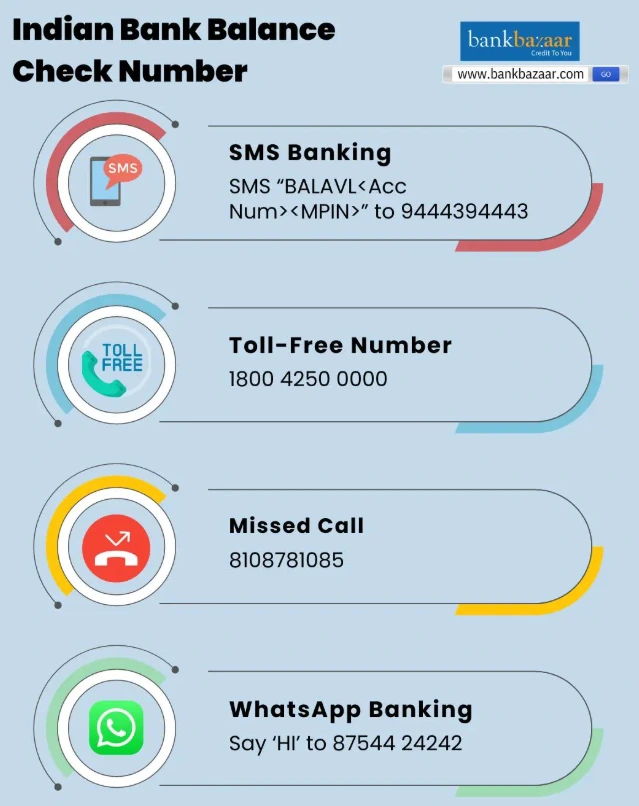
All Indian Bank Balance Enquiry Numbers at a Glance
| Method | Number / Details |
| Toll-Free (Customer Care) | 1800 4250 0000 |
| Missed Call Balance Check | 9677633000 |
| SMS Banking | 9444394443 |
| WhatsApp Banking | 8754424242 |
| USSD Code | *99*58# |
All of these are free to use, with the exception of standard SMS charges that your mobile carrier may apply for outgoing messages.
Missed Call Balance Check — The Fastest Method
The missed call service is the go-to option for most Indian Bank customers, especially when internet access is unavailable or unreliable. The entire process takes under ten seconds.
How it works:
- From your Indian Bank-registered mobile number, dial 9677633000
- Let the call ring once or twice, then disconnect — or it will disconnect automatically
- Within a minute, you receive an SMS on the same number showing your account balance
The key requirement is that your mobile number must already be registered with your Indian Bank account. If it is not, this service will not work, and you will need to visit your branch or update it through the ATM first.
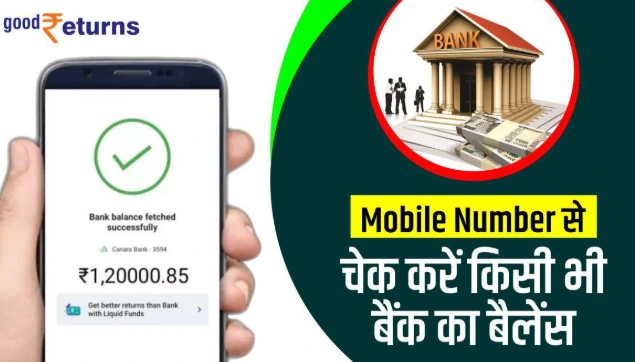
There are no charges from the bank’s side. No MPIN, no PIN, no internet required. This makes the missed call method particularly useful when you are travelling, in a low-connectivity area, or simply want a quick check without unlocking an app.
SMS Balance Check — When You Need It in Writing
The SMS method is slightly more involved than a missed call, but it gives you a text record of your balance which can be useful for documentation or quick reference.
Before you use it: You must register for SMS banking at your home branch by submitting an SMS banking application form. Once registered, you receive an MPIN from the bank.
How to check balance via SMS:
- Open your messaging app and create a new message
- Type: BALAVL [Account Number] [MPIN] (Use spaces between each element — no angle brackets in the actual message)
- Send to 9444394443 from your registered mobile number
- You will receive a return SMS with your current account balance
Standard SMS charges from your mobile carrier apply. The bank itself does not levy any additional fee.
WhatsApp Banking — Balance in Your Chat
Indian Bank’s WhatsApp banking service runs on 8754424242. It is free, and the process is conversational — the bank responds in your WhatsApp chat like a menu-driven assistant.
Steps:
- Save 8754424242 in your phone contacts
- Open WhatsApp and send “Hi” to that number from your registered mobile
- The bank responds with a service menu — select Deposit Services
- Choose Balance Enquiry
- Your current balance appears directly in the chat
WhatsApp banking also supports other services including card blocking, loan inquiries, and complaint registration — so the number is worth saving regardless.
USSD Code — No Internet, No App
If you have no internet access and do not want to use SMS, the USSD method works entirely through your phone’s dialler. It is especially useful on basic phones.
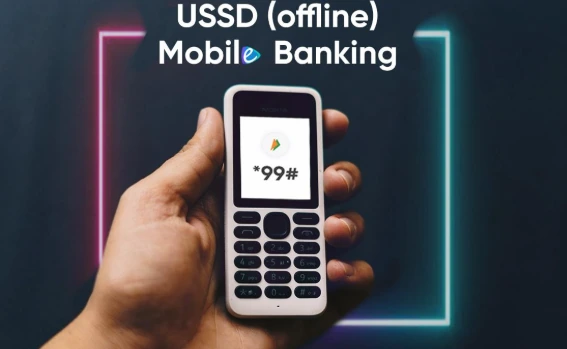
Dial *99*58# from your registered mobile number and follow the on-screen prompts. Your balance will display directly on your phone screen. No confirmation SMS is sent — the balance appears in the USSD session window, so note it down before closing.
IndOASIS Mobile App — For Regular Users
IndOASIS is Indian Bank’s official mobile banking application, available on both Android (Play Store) and iOS (App Store). It gives you more than just a balance check — transaction history, fund transfers, FD management, and account statements are all accessible from the dashboard.
Balance check steps:
- Download and install IndOASIS
- Log in with your credentials
- Your account dashboard loads after verification
- Tap My Account to view the current balance
IndOASIS shows the last 10 transactions, compared to only 5 via missed call or SMS — useful when you need more context than just the balance figure.
Net Banking and ATM
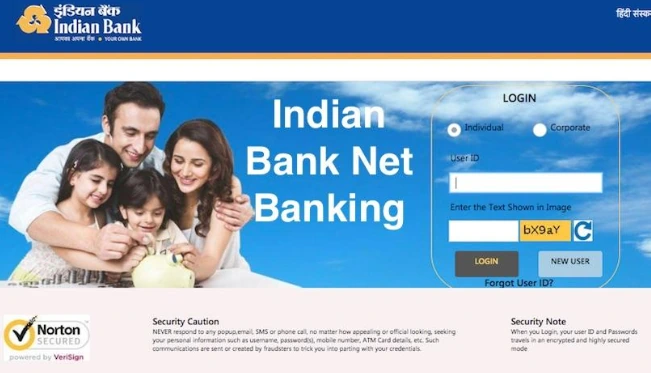
For customers already enrolled in Indian Bank’s net banking, balance enquiry is straightforward: log in at the official portal, navigate to View Account Details, and click Check Account Balance.
At any Indian Bank ATM, insert your debit card, enter your 4-digit PIN, select Balance Enquiry, and your balance appears on screen. The ATM also prints a receipt showing the balance — the only paper-based confirmation among all the methods listed here.
Both options require prior registration. Net banking needs an active login ID and password; ATM access requires a linked debit card with a set PIN.
UPI Apps — If Your Account Is Already Linked
Any UPI app — BHIM, PhonePe, Google Pay — can display your Indian Bank account balance if the account is linked within the app. Open the app, navigate to your linked Indian Bank account, tap Check Balance, enter your UPI PIN, and the balance appears on screen.
This method works even without a registered mobile number with the bank directly, making it useful for customers who have set up UPI but not SMS banking.
Which Method to Use When
The right method depends on your situation. For a quick check with no setup — missed call to 9677633000. For a written record — SMS to 9444394443. For no internet and a basic phone — USSD *99*58#. For regular banking on a smartphone — IndOASIS app. For a balance check while abroad — net banking or the toll-free number 1800 4250 0000 (international callers can reach the bank at +91 44-28882999).
All methods are free from the bank’s end. The only cost is standard carrier charges for outgoing SMS in the SMS banking method.