Your Aadhaar mobile number determines whether you can receive OTPs for e-KYC, download your Aadhaar online, access government scheme benefits, or authenticate identity for banking and SIM services. If the number linked is old, inactive, or simply unknown to you, most of these services stop working — and there is no way around the check. This guide walks through every method available to verify your Aadhaar mobile number status, what each method actually tells you, and what to do when the number needs updating.
What the Check Actually Confirms — and What It Does Not
Before going through the steps, it helps to understand what the UIDAI verification tool does. When you enter a mobile number along with your Aadhaar number on the portal, the system checks whether that specific number matches what is registered in UIDAI’s records. If it matches, you get a confirmation message. If it does not, you get a mismatch message.
What it does not tell you is which number is registered. The check is a confirmation tool, not a retrieval tool. You cannot enter your Aadhaar number and get your linked mobile number displayed — that would be a privacy risk. So if you genuinely do not know which number is registered, you will need to check via the TAF-COP portal (described below) or visit a Kendra in person.
Checking via the UIDAI Website
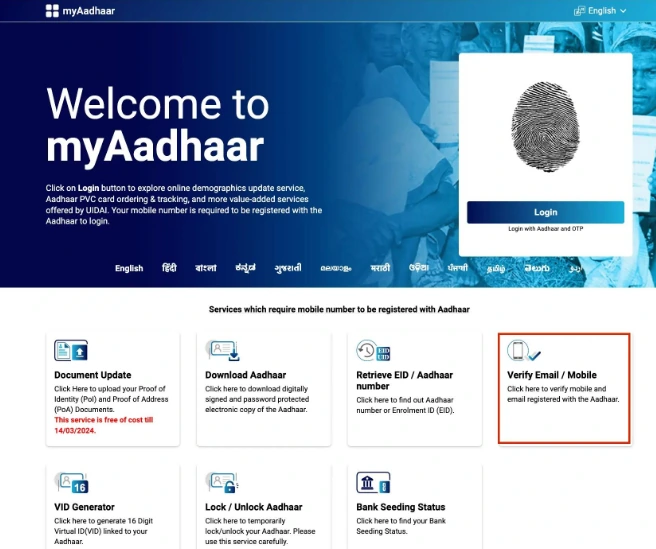
This is the most direct method and works without installing any app. As of 2026, the verification service sits under the My Aadhaar section on the official UIDAI portal.
Steps:
- Go to the UIDAI website and navigate to My Aadhaar → Aadhaar Services → Verify Email/Mobile Number
- Select Verify Mobile Number
- Enter your 12-digit Aadhaar number, the mobile number you want to verify, and the captcha
- Click Submit
If the number matches UIDAI records, the screen displays: “The mobile number you have entered is already verified with our records.”
If it does not match: “The mobile number you have entered does not match our records.”
The check takes under a minute and requires no OTP, no login, and no documents. You are simply asking the system whether a specific number-Aadhaar combination is valid.
Checking via the mAadhaar App
The mAadhaar app, available on both Android and iOS, offers the same verification function within a more streamlined interface. It is useful if you regularly use Aadhaar services on mobile, since the app also lets you download your Aadhaar, generate a Virtual ID, and lock or unlock biometrics.
Steps:
- Download mAadhaar from the Google Play Store or Apple App Store
- Open the app and tap Verify Email/Mobile Number
- Enter your Aadhaar number and the mobile number you want to check
- Submit — the link status appears immediately
The result mirrors what the website shows. If you get a mismatch and are unsure which number is registered, the app does not bypass that limitation — it still requires you to know (or guess) the number to confirm it.
Checking via the UMANG App
UMANG is a multi-service government app that aggregates dozens of central government services. For Aadhaar verification, the path is slightly longer than the dedicated mAadhaar app, but the function is identical.
Steps:
- Open UMANG and go to Services → View All Services → Aadhaar
- Tap Verify Email/Mobile
- Select Verify Mobile Number, enter your Aadhaar number, mobile number, and captcha
- Submit to see the status
UMANG is more useful if you already use it for other government services and do not want to install a separate app.
When You Do Not Know Which Number Is Registered
This is the more common problem. Someone changed their phone years ago, or never knew which number was submitted during Aadhaar enrollment. The UIDAI verification tool will not help here because it only confirms a match — it will not display the registered number.
The TAF-COP portal (tafcop.sancharsaathi.gov.in), run by the Department of Telecommunications, offers a different angle. It shows all mobile connections issued under your Aadhaar number. Entering your current mobile number and verifying via OTP generates a list of all SIM connections linked to your identity. While this is not the same as checking the Aadhaar-registered number directly, it gives you a picture of which numbers are tied to your identity and helps identify which one may be registered with UIDAI.
For a definitive answer, visiting an Aadhaar Seva Kendra in person is the most reliable route. The executive at the counter can verify the registered details through biometric authentication.
Checking Without OTP — The Offline Method
All online methods require you to already know the potentially linked number, since no OTP is sent during the check. If you want to verify without any OTP involvement — or if you have no active number registered at all — the offline route is the only option.
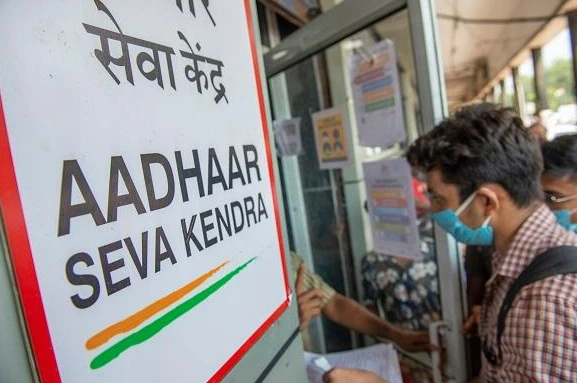
Steps:
- Visit the nearest Aadhaar Seva Kendra or Aadhaar Enrolment Centre
- Provide your Aadhaar number to the executive
- The executive will verify your details and confirm the linked mobile number status
You can locate your nearest Aadhaar Seva Kendra using the UIDAI website. No document is required for a status check — the biometric verification at the counter handles identity confirmation.
What to Do If Your Mobile Number Is Not Linked or Needs Updating
If the check shows a mismatch, or if no number is currently registered, linking or updating can only be done offline. UIDAI does not provide an online facility for mobile number linking because it requires biometric authentication — fingerprint or iris — which cannot be replicated digitally.
For a first-time link (no number currently registered):
- Visit an Aadhaar Seva Kendra
- Fill out the Aadhaar update/correction form
- Submit biometrics
- There is no fee for the initial linking
For changing or updating an existing registered number:
- The process is the same — visit in person, submit the form and biometrics
- A fee of ₹75 applies for a mobile number update, as of current UIDAI service charges
- Processing typically takes 10 to 30 days before the new number is reflected in UIDAI’s database
One document is required: a self-attested copy of your Aadhaar card. No other supporting documents are needed specifically for mobile number updates.
If you have changed your number and need services before the update reflects, consider using your Virtual ID (VID) for authentication where accepted — it provides a privacy-safe alternative to sharing your actual Aadhaar number during the interim period.
A Few Practical Points Worth Knowing
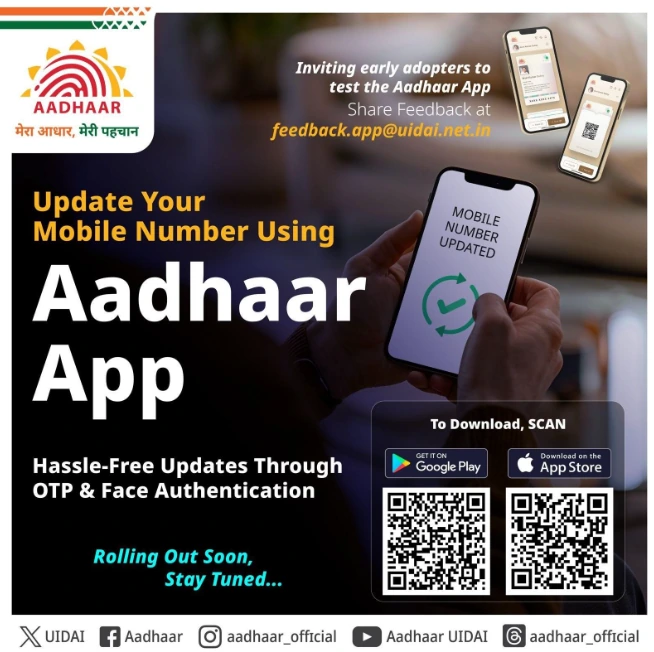
Only one mobile number can be linked to a single Aadhaar at any time. However, the same Aadhaar number can be used to complete verification for up to nine SIM cards across telecom providers — these are separate from the number registered with UIDAI for OTP purposes.
There is no deadline or last date for linking a mobile number with Aadhaar. It is recommended but not legally mandatory. That said, without a linked number, you lose access to online Aadhaar services — including downloading your e-Aadhaar, updating your address online, and verifying identity for e-KYC processes like bank account opening or SIM issuance.
If you are unsure whether your current number is still active in UIDAI’s system, running the check on the UIDAI website takes under two minutes and costs nothing. That is the right first step before booking a Kendra appointment or assuming the worst.